


Problem
Farmers need a way to sort and filter through their crop’s bids, offers and negotiations on Indigo Marketplace.
Hypothesis
If farmers are provided user friendly ways to sort and filter through their bids and offers then they can better track what the market looks like which will provide value in staying on our platform.
Results
Higher return rate to platform when farmers saved their crop preferences
2,252 farmers saved crop preferences
4 Marketplace users commented on efficiency of new filtering system in conversation
-
Lead designer on scrum team with Developers and Product Manager to create a left rail filtering system for all pages on Indigo Marketplace.
Gathered quantitative data from Heap and qualitative data from previous conversations & feedback sessions to determine information architecture.
Researched and implemented UI patterns such as scrolling behavior, drop downs etc. from other e-commerce sites along with the front and back-end developers.
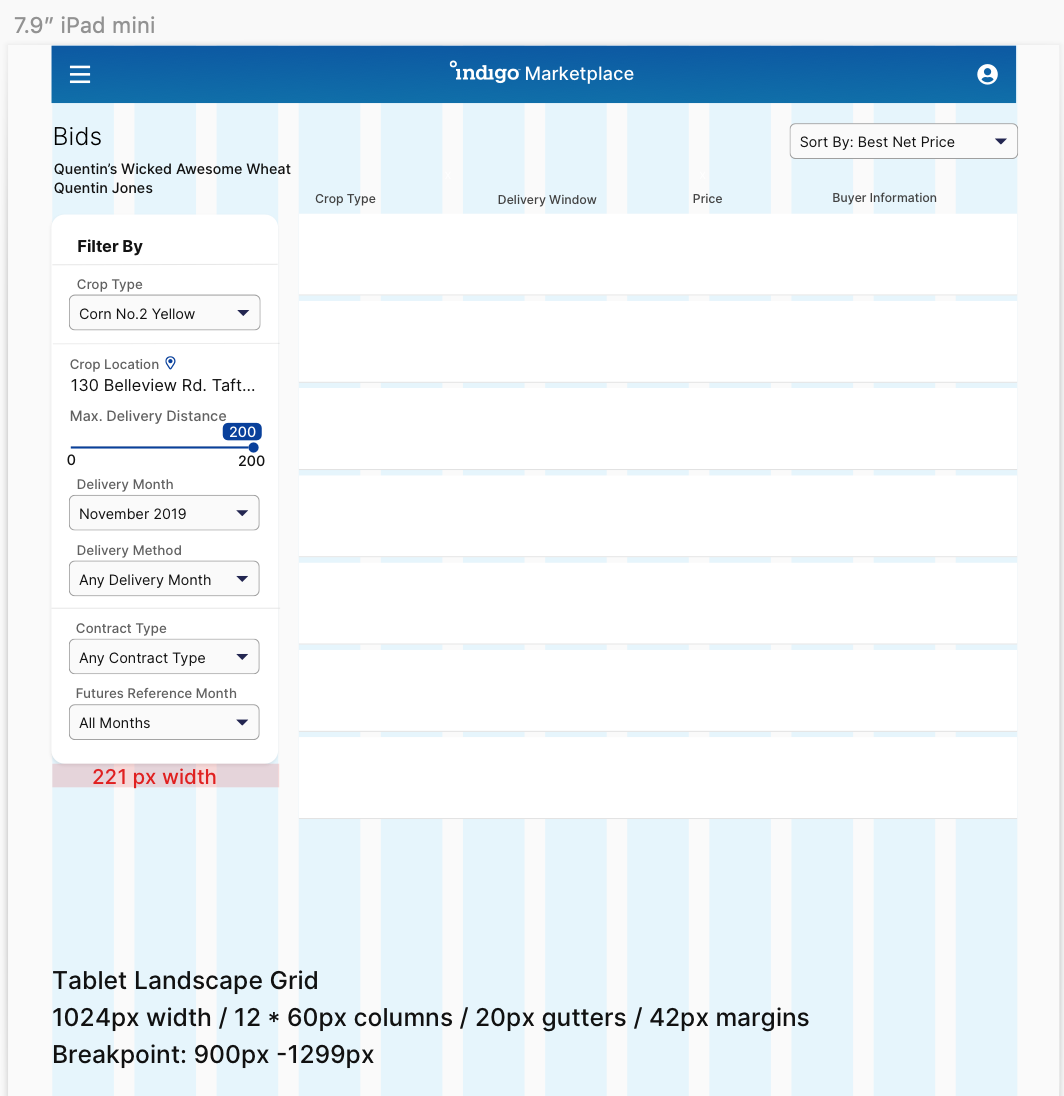
Worked asynchronously with developers, PM’s and designers to assess breakpoints and scrolling behavior to ensure filtering rail is usable and compatible with all screen sizes.
Validated filtering design solution with internal team and stakeholders.
Verified need for filters to stay viewable whilst scrolling through bids from a Grain Marketing Advisor during farm visit in Kansas.

Research
Based on conversations and product feedback from farmers; there are specific qualifications that farmers look at before making a deal with the buyer.
Crop Information
Which crop type am I trying to sell? Specifications?
Which field or location is my crop based at?
Delivery Information
How far am I willing to deliver?
How do I want to deliver?
Pricing Information
What type of contract do I want? (basis vs. futures)
What futures reference month am I looking at for price?
Inspiration

E-commerce filter inspiration from Nike, Etsy and Macy’s

Custom filter preference examples from dribble, Quickbooks, Calm etc.
Initial Explorations
Filter and Sort labels (collab with UX copywriter, PM & design):
Crop Information
Crop Type
Crop Location
Delivery Information
Max Delivery Distance (mi.)
Delivery Month
Delivery Method
Pricing information
Contract Type
Futures Reference Month
Simple Filtering
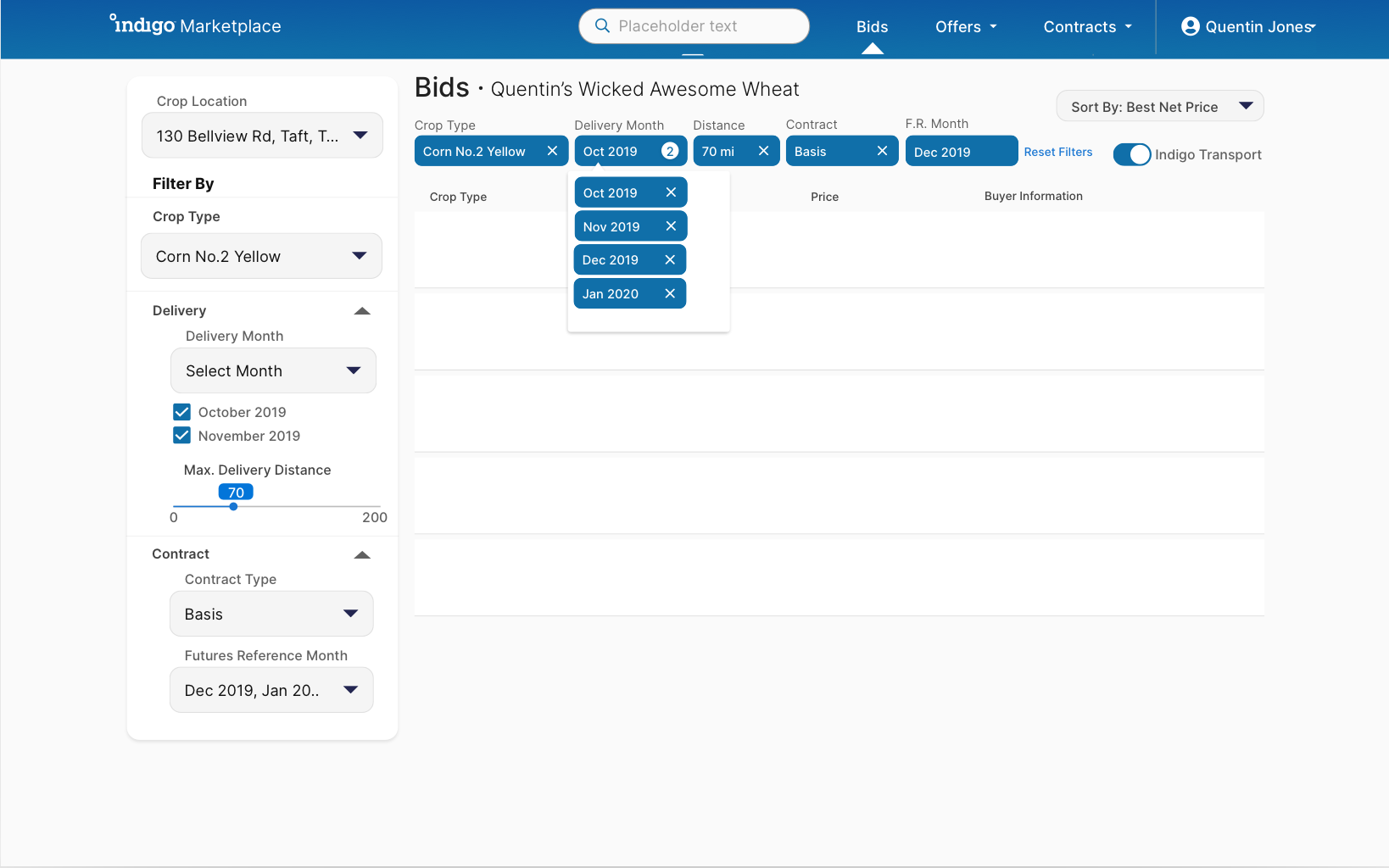
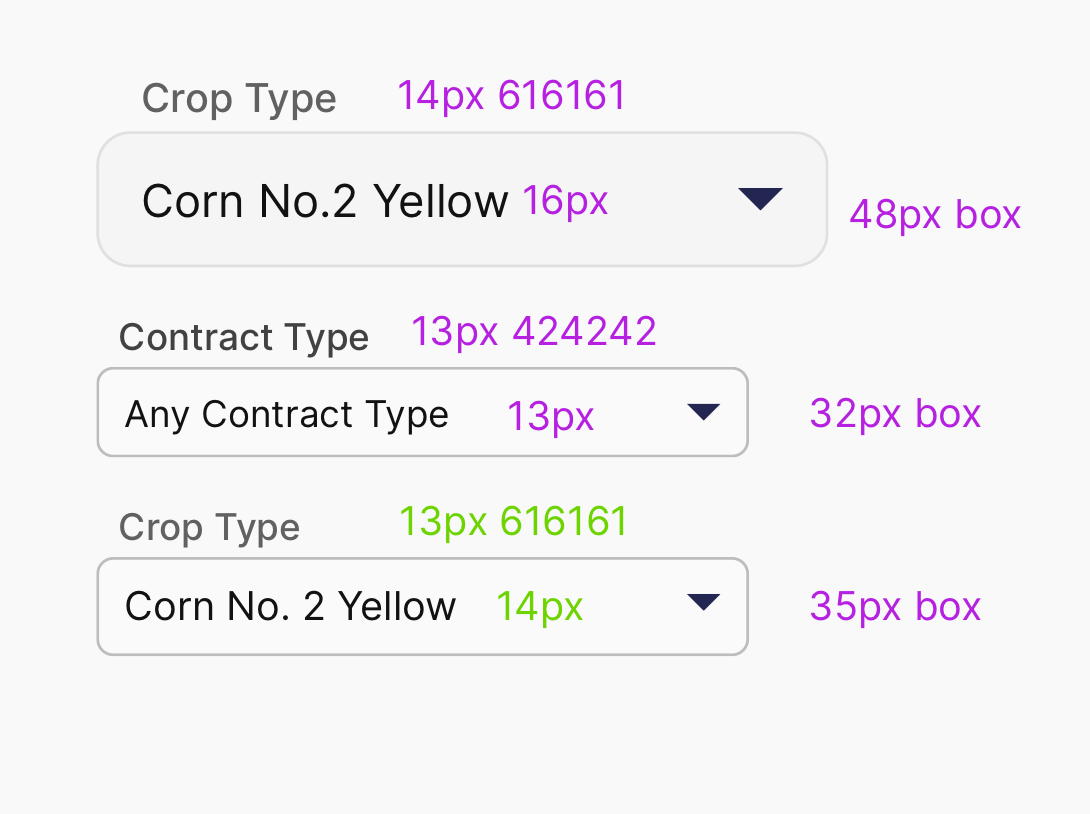
Desktop, tablet and mobile explorations of the sort & filter functionality on the bids page.


Smart Filters
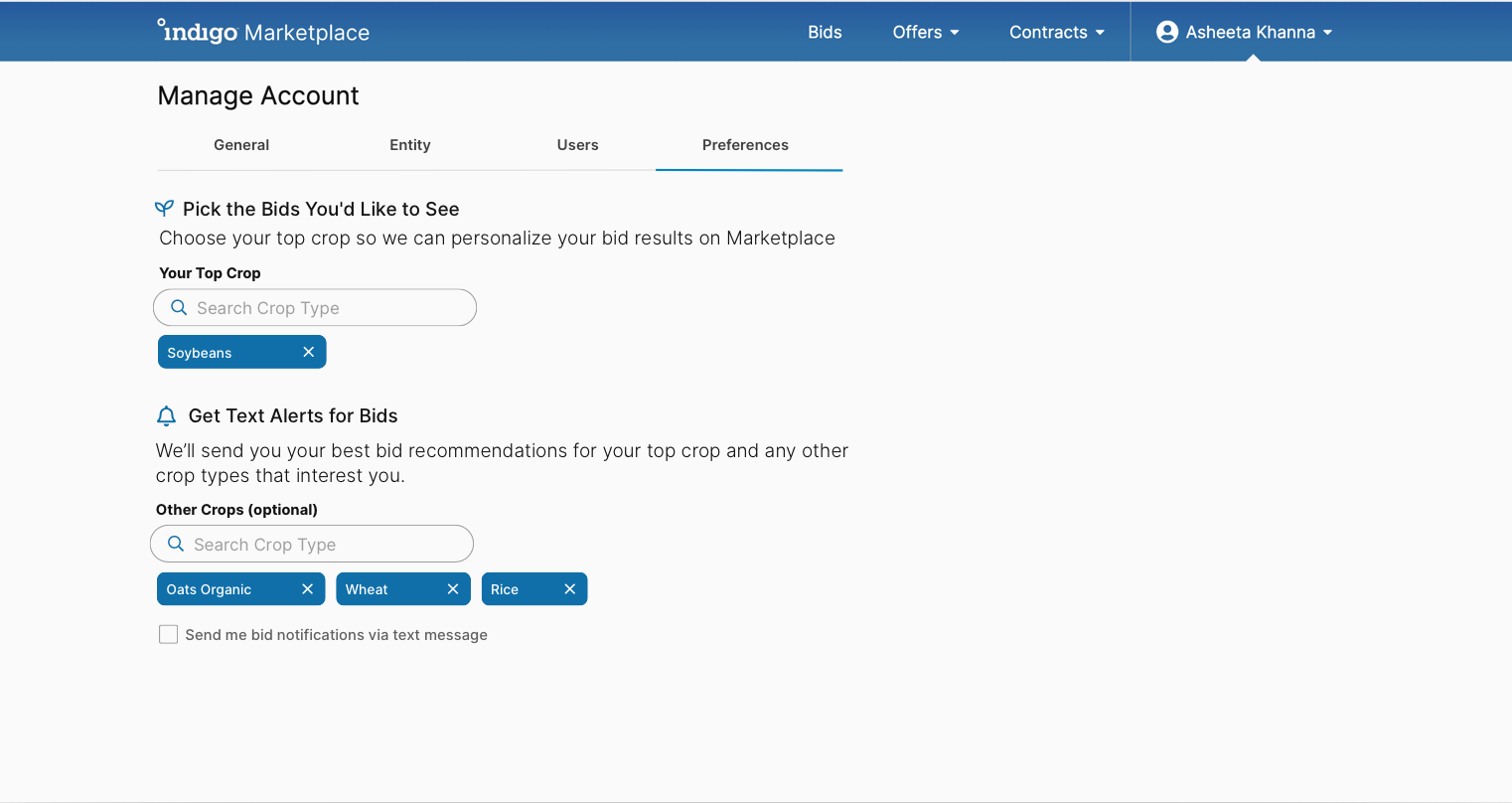
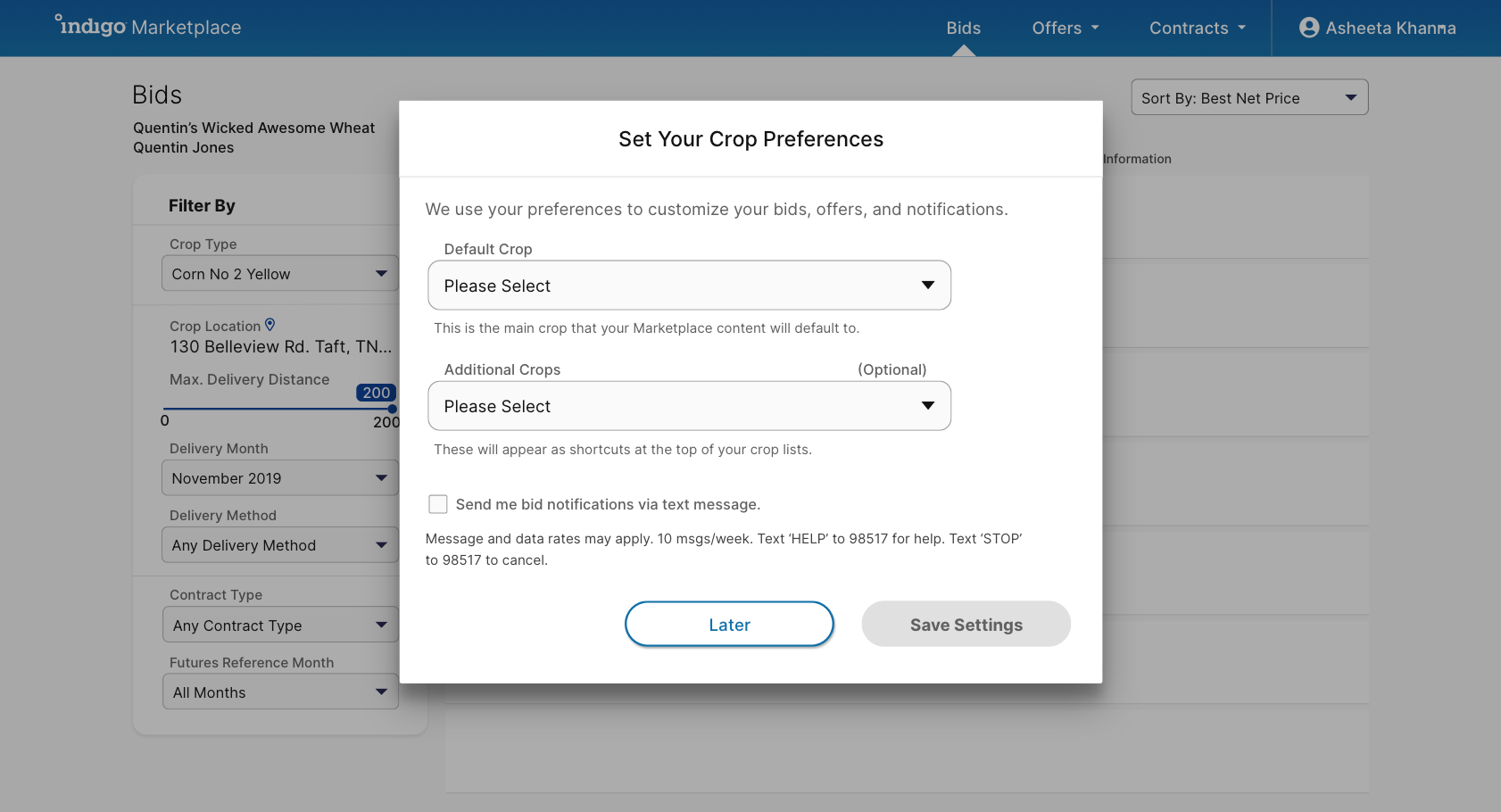
Going beyond simple filters to smart filters so that users can save filter settings to be applied for the next time they log on.


Filter Preferences



Final Designs
-
Side rail filter: - Easy scanability of both table with content and its filters for desktop- Filters are not dependent on page width and can be made responsive for tablet or mobile
Separating “Sort” on top right: - Common UI pattern on e-commerce platforms - More visibility and significance since user is more likely to use ‘sort by’ feature often
Active Filters UI- There might be cases when filters are already applied as “smart filters” and it is important for the user to know through filter pill or toast notifications
Toast Notifications- Making ‘applied’ filters visible at all times & easy to adjust (especially on mobile)- Giving feedback to the user when a filter is saved or applied
Leverage simple modals for customization- Obstruct users workflow once after login for ease & efficiency in the future - System takes immediate action based on user selecting crop type and/or enabling notifications
Direct to ‘Settings’ for customization - Users need to pick from a list of 100+ grains when filtering for their crops. Why not let them save their crops to avoid this AND give them flexibility in case they decide to grow new crops?- Ask users to select their crops during onboarding or when landing on Marketplace
v1. Simple Filtering

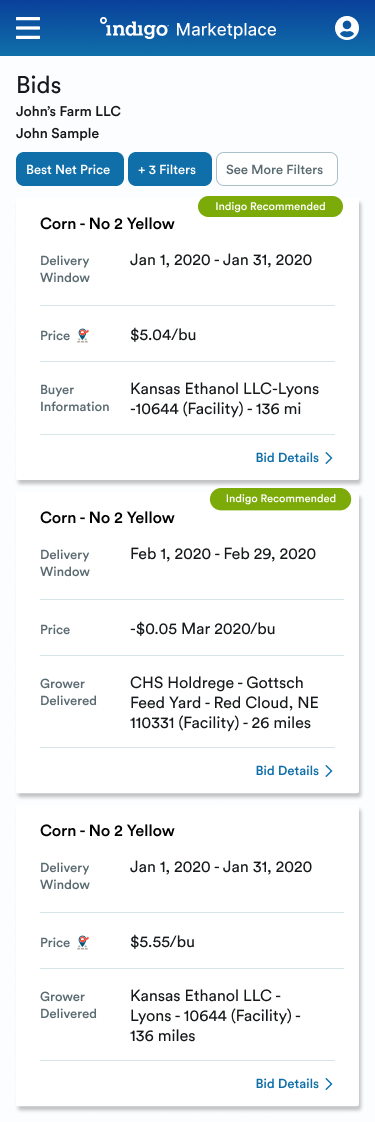

v2. Filter Preferences


Team: Lead UX Designer (me!), Front & back-end engineers, Product Manager(s)
Tools: Sketch, Invision, Figma